Invoice vs receipt for small business: what changes after payment
A plain comparison for sellers deciding when to send an invoice, when to issue a receipt, and how to keep both tied to real payment records.
What this guide covers
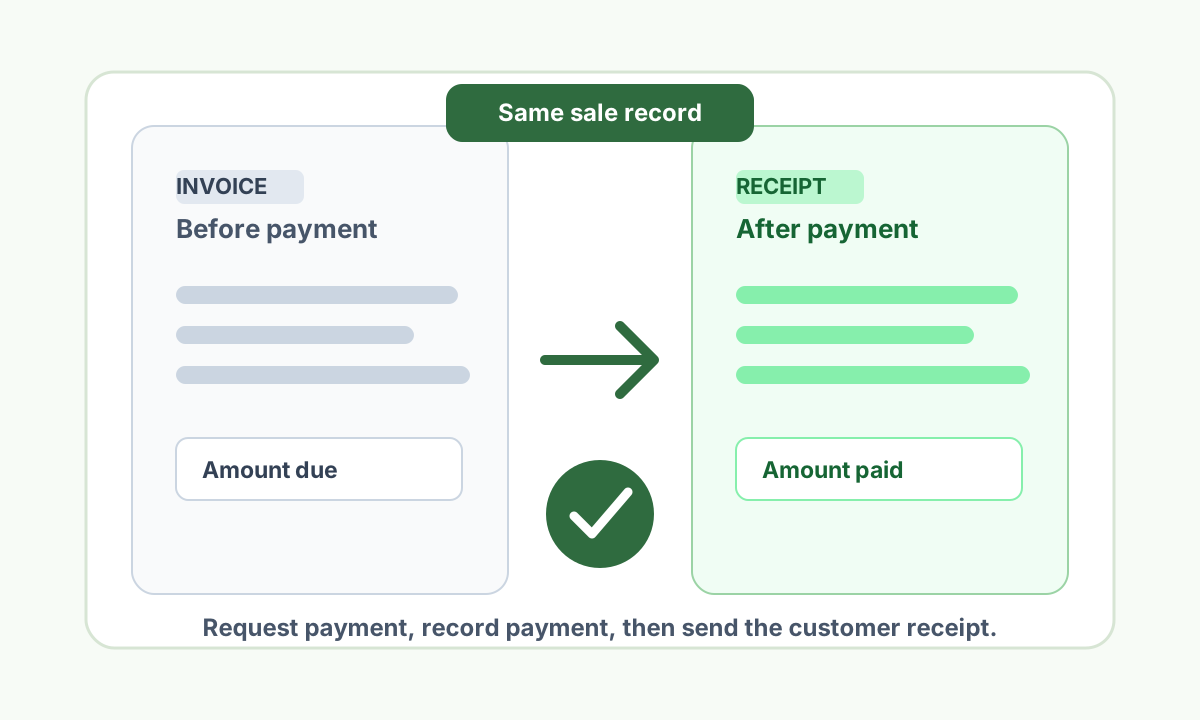
- An invoice requests payment. A receipt confirms payment already received.
- Use the same sale record so the two documents do not drift.
- Send the customer receipt only for payments your business can verify.
Table of contents
The simple difference
An invoice asks a customer to pay. A receipt confirms that the customer has paid. That timing difference changes the fields, wording, and internal record you should use.
Small businesses often need both documents for the same sale. The invoice can describe what is due, while the receipt becomes the customer copy after cash, card, bank transfer, check, or platform payment is received.
| Document | Use it when |
|---|---|
| Invoice | You are requesting payment for goods, services, a deposit, or a balance due. |
| Receipt | You have received payment and need a customer-ready record of that completed payment. |
What belongs on an invoice before payment
An invoice should make the amount due clear before money changes hands. It usually includes payment terms, due date, item or service lines, tax or fee lines when applicable, and instructions for how the customer can pay.
Because the invoice is a request, avoid marking it as paid unless your payment system or bookkeeping record shows that the money arrived.
Amount due
Subtotal, discounts, tax or VAT where applicable, deposits already paid, and the remaining balance.
Payment timing
Due date, payment terms, accepted methods, and any invoice or job reference.
Seller and customer details
Names, business details, customer account, service address, or project reference when those fields explain the sale.
Line items
Goods, labor, materials, delivery, retainers, or service packages that support the requested amount.
What changes on the receipt after payment
A receipt should focus on what was paid, when it was paid, and which sale record supports it. It can reuse customer, seller, and line-item details from the invoice, but the payment section becomes the center of the document.
The receipt number, payment date, payment method, paid total, and any remaining balance should match your internal records. If the customer made a partial payment, label it as a deposit or partial payment instead of implying the full invoice is closed.
| Receipt field | Example |
|---|---|
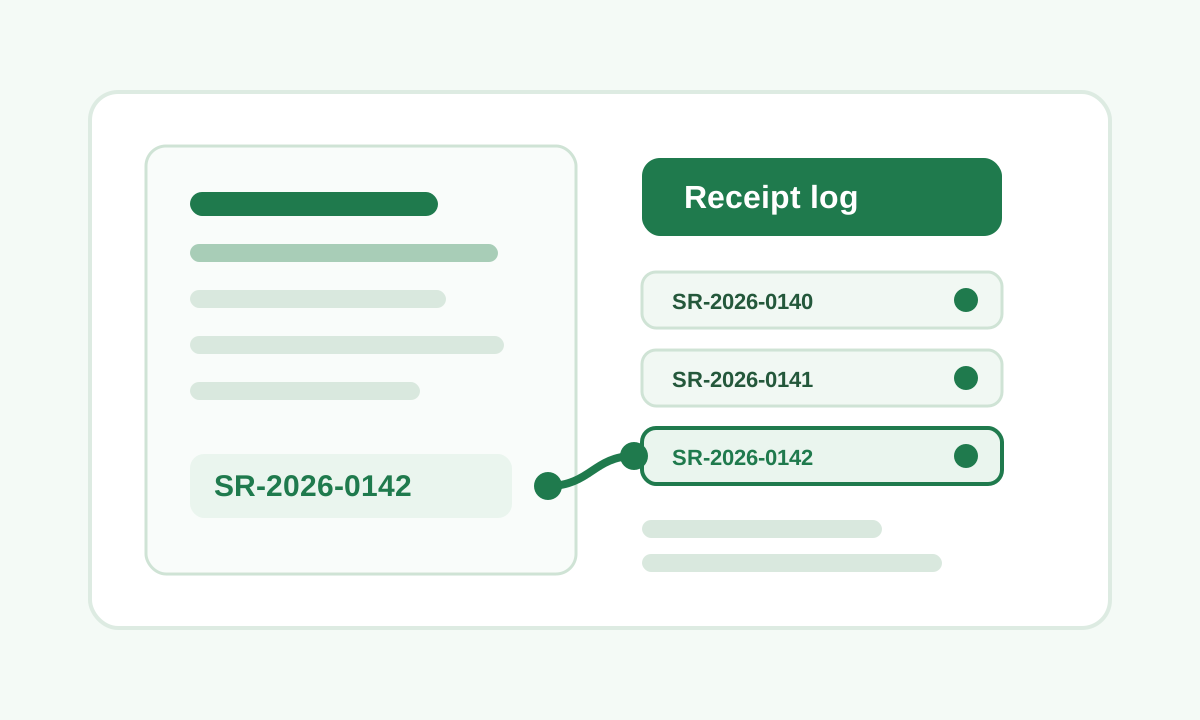
| Receipt number | RC-2026-0142 |
| Invoice reference | Invoice INV-2026-0091 |
| Payment date | July 7, 2026 |
| Amount paid | $640.00 |
| Payment method | Bank transfer |
| Balance status | Paid in full or partial payment |
A clean invoice-to-receipt workflow
Start with the invoice, quote, work order, cart record, or manual ledger row that describes the sale. When payment arrives, update the sale record first, then issue the receipt from the same source details.
This keeps the receipt from becoming a separate story. Your customer sees a clean paid record, and your team can trace the PDF back to the invoice, payment confirmation, or job note later.
1. Create the payment request
Send the invoice with amount due, terms, line items, and payment instructions.
2. Record the payment
Confirm the paid amount, payment date, payment method, and any remaining balance.
3. Issue the receipt
Create the customer copy from the paid record, then export and send the PDF.
4. Archive both
Store the invoice, payment confirmation, and receipt together under the same customer or job reference.
Small business examples
A designer might invoice a client for a logo package, then send a receipt after the final bank transfer clears. A repair contractor might invoice for labor and materials, then issue a paid receipt at the end of the service visit.
A market vendor may skip the invoice when payment happens at the point of sale. In that case, the receipt can be created directly from the completed sale record.
Freelance service
Invoice for the balance due, then receipt for the amount the client actually paid.
Contractor job
Invoice for labor and materials, then receipt after the deposit or final balance is collected.
Manual sale
No invoice is needed when the customer pays immediately and the receipt records the completed sale.
Subscription or recurring work
Keep each paid period tied to a separate receipt or payment reference so support questions stay clear.
Keep the receipt tied to the payment
Receipts are most useful when they document seller-owned payments your business can verify. If the amount, date, customer, or line items are uncertain, fix the source record before sending a customer copy.
Do not use a receipt maker to recreate third-party store purchases, change payment history, or document transactions your business did not handle.
Turn this guide into a receipt
Enter the sale details you control, review the fields, and export a customer PDF.
Open receipt maker
Receipt checklist before sending
- Invoice is used before payment and receipt is used after payment.
- Receipt references the invoice, job, sale, or payment record when one exists.
- Amount paid and payment date match your internal records.
- Partial payments and deposits are labeled clearly.
- Customer copy avoids sensitive bank or card details.
- Invoice, payment confirmation, and receipt are archived together.
- Corrected receipts stay connected to the original sale record.
FAQ
Can an invoice also be a receipt?
It can show paid status after payment, but many small businesses still issue a separate receipt so the customer has a clear payment confirmation tied to the invoice.
Do I need an invoice before every receipt?
No. Immediate sales, cash payments, card-terminal payments, deposits, and one-off service visits may only need a receipt after payment, as long as the sale record is real and controlled by your business.
What if a customer only paid part of the invoice?
Issue a receipt for the amount received and label it as a partial payment or deposit. Keep the remaining balance visible in your internal invoice or job record.
Get Receipt Team
Receipt documentation and seller workflow guides.
Get Receipt writes for businesses that need clear customer receipts tied to legitimate sales, services, deposits, and internal payment records.
Related articles
Receipt number format for small business receipts
6 min read · July 6, 2026
Paid receipt for a small business sale: the clean field checklist
6 min read · July 6, 2026
Deposit receipt template for service businesses: fields and workflow
6 min read · July 7, 2026